How to use TenderScout
The common things people do here, step by step. Click any screenshot to enlarge.
Find tenders in your line of workRead a tender at a glanceAsk a question in plain EnglishSee who wins contracts like yoursGo deep on your sectorResearch a company or a competitorNever miss a relevant one
1
Find tenders in your line of work
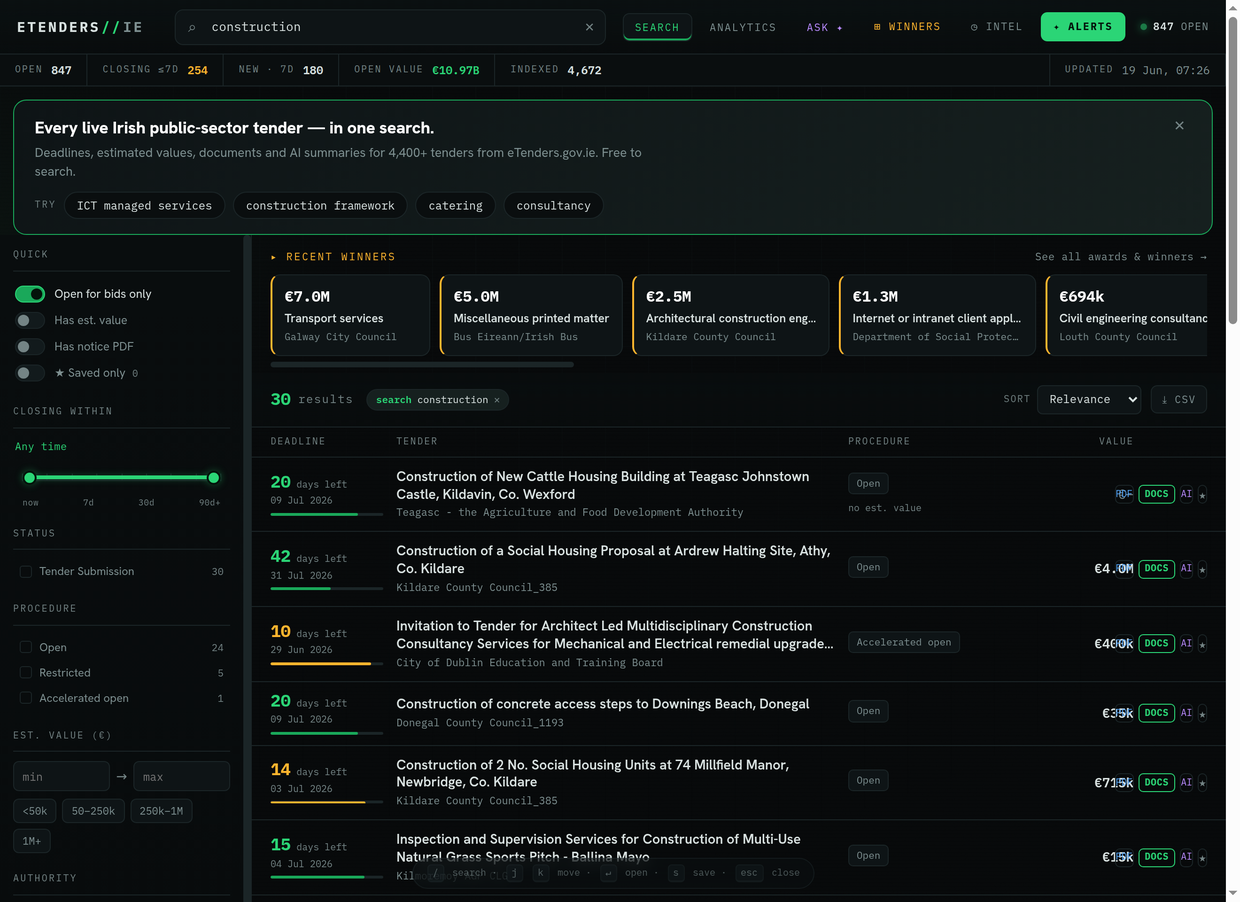
The home page is a live search over every open Irish public tender.
- Type a word or two in the search bar at the top — a sector, a service, a buyer (e.g. catering, ICT managed services, construction).
- Narrow it with the filters on the left: open for bids only, a closing-date window, a value band, procedure type, or a specific authority.
- Results are ranked by relevance and show the deadline, value and flags at a glance.
2
Read a tender at a glance
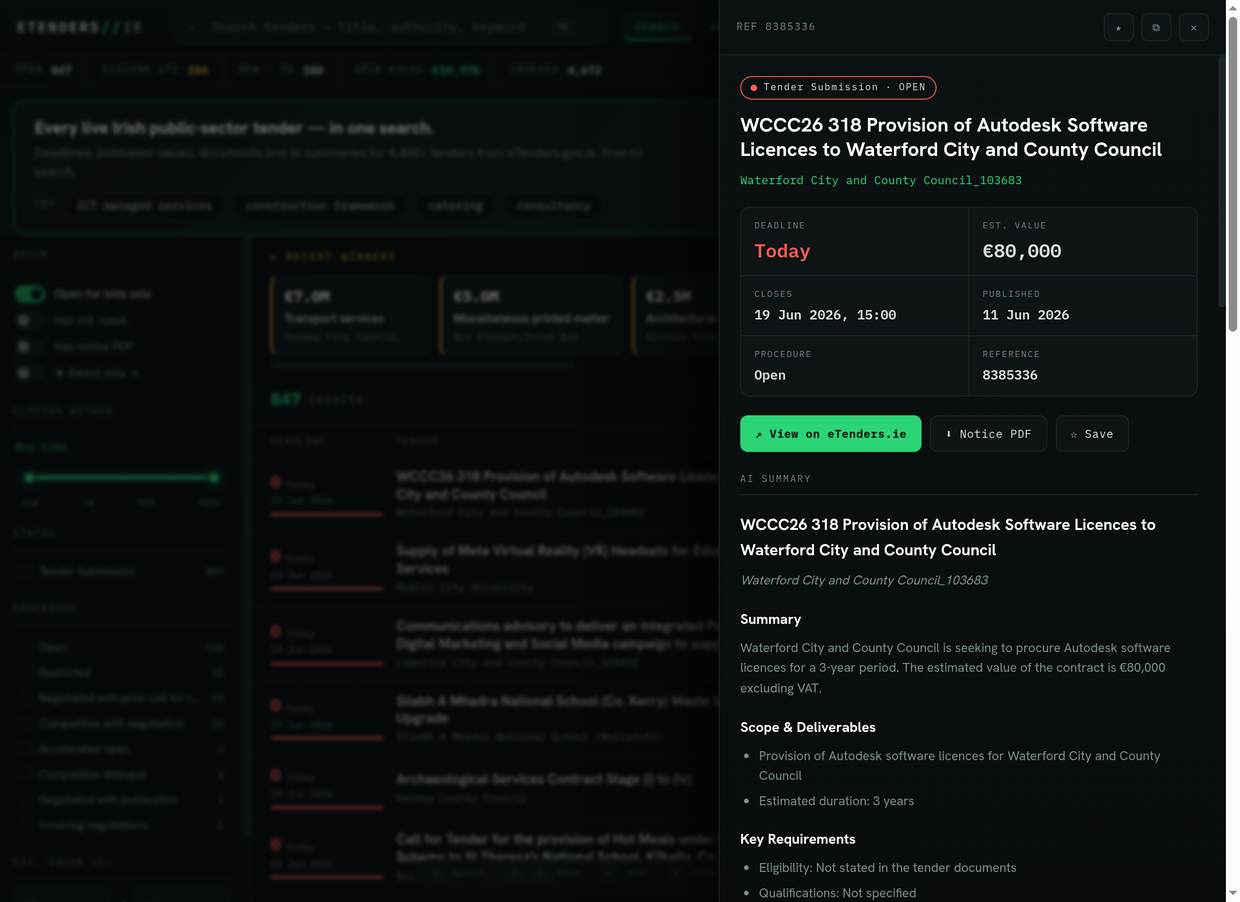
Click any result to open its detail panel without leaving the page.
- You get the plain-English AI summary — what is being bought, scope, key requirements — plus the value, deadline and procedure.
- Open the tender documents or jump to the official notice on eTenders.gov.ie.
- Hit Save (★) to keep it on your list, or copy a shareable link.
3
Ask a question in plain English
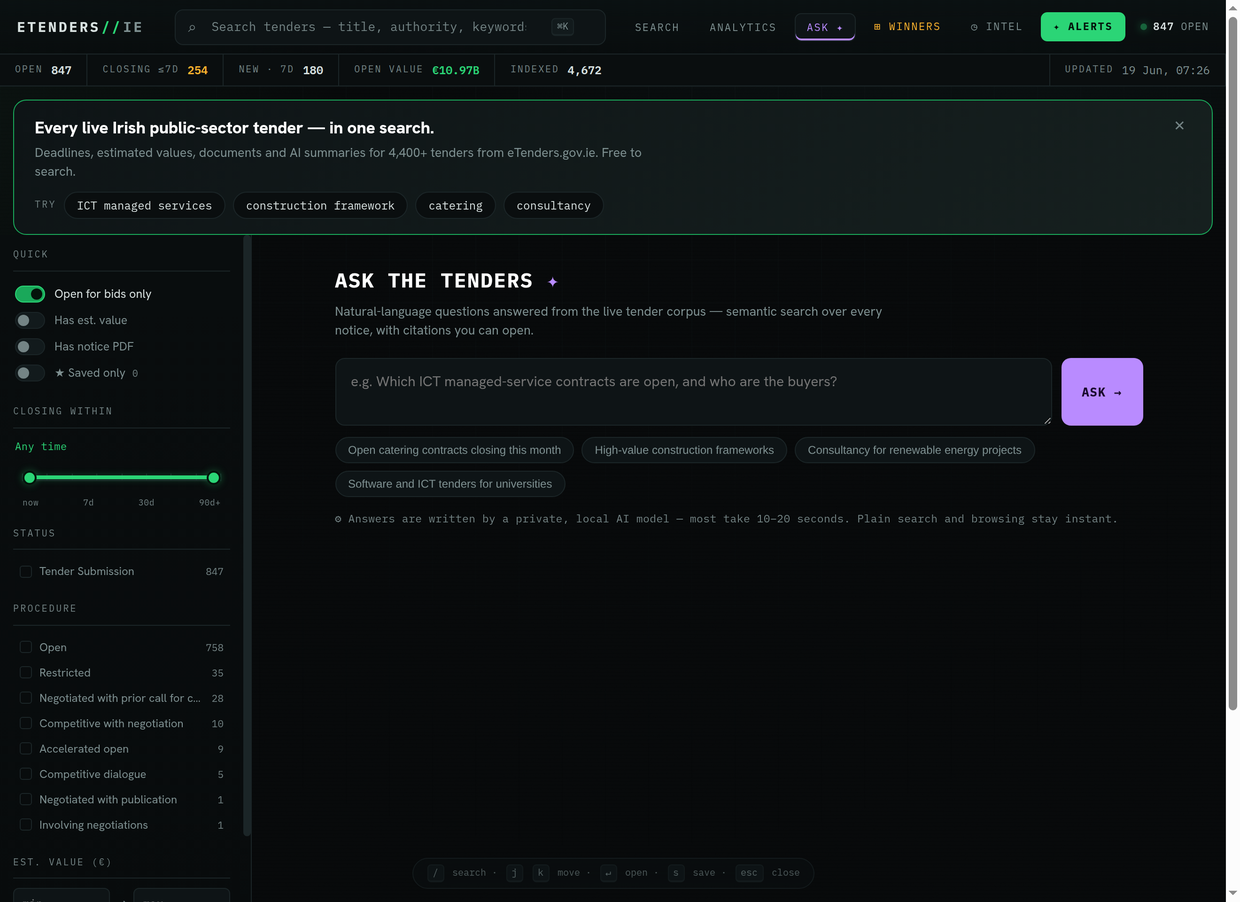
Not sure what to search? Use the ASK tab and ask the way you would a colleague.
- Type something like which ICT managed-service contracts are open, and who are the buyers?
- A local AI reads the live tenders and answers with citations you can click straight through to.
- Answers take ten to twenty seconds — the searching itself is instant.
4
See who wins contracts like yours
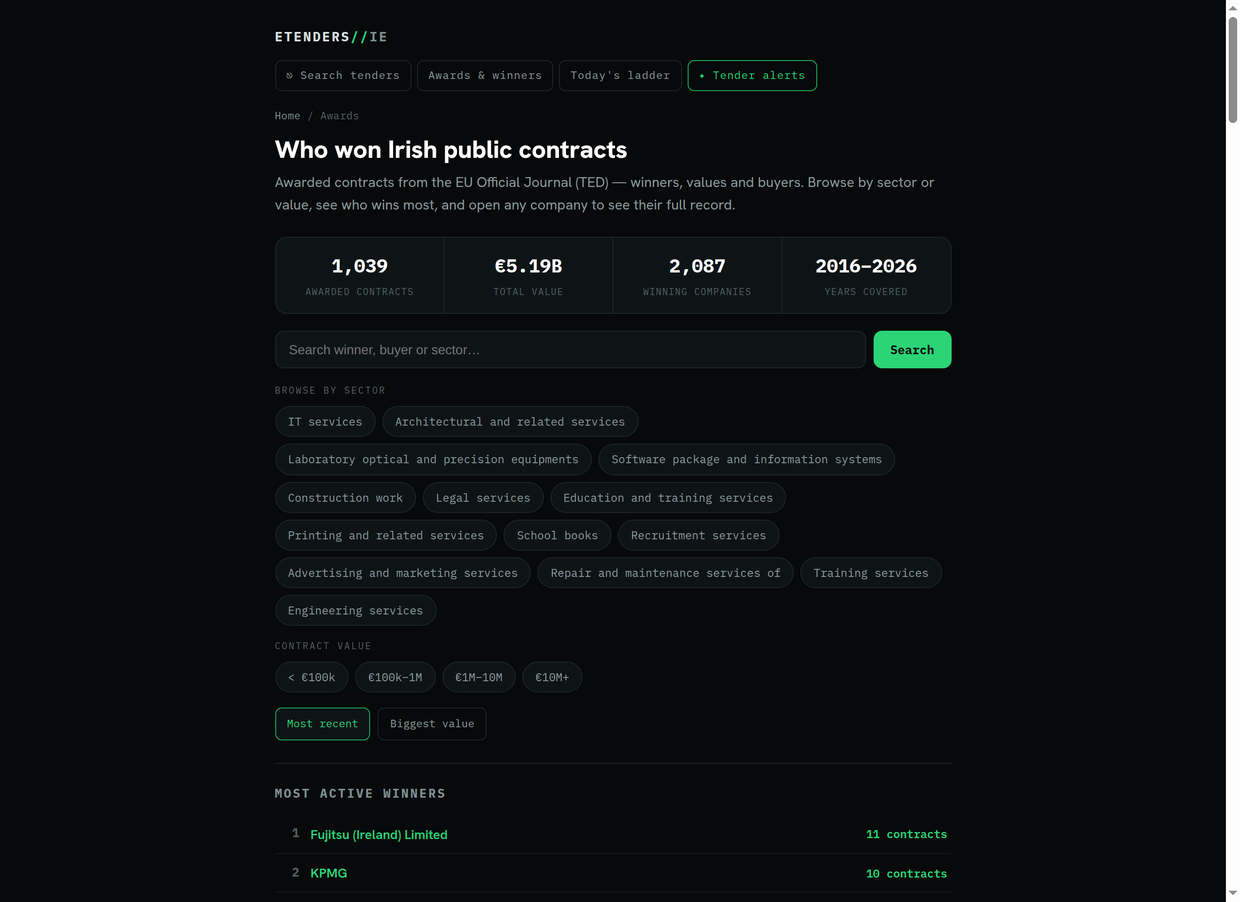
The WINNERS tab opens a searchable record of awarded contracts.
- See the scale (total awards, total value, number of winning firms) at the top.
- Browse by sector or value band, or sort by most recent or biggest.
- The leaderboard shows the most active winners — your likely competition.
5
Go deep on your sector
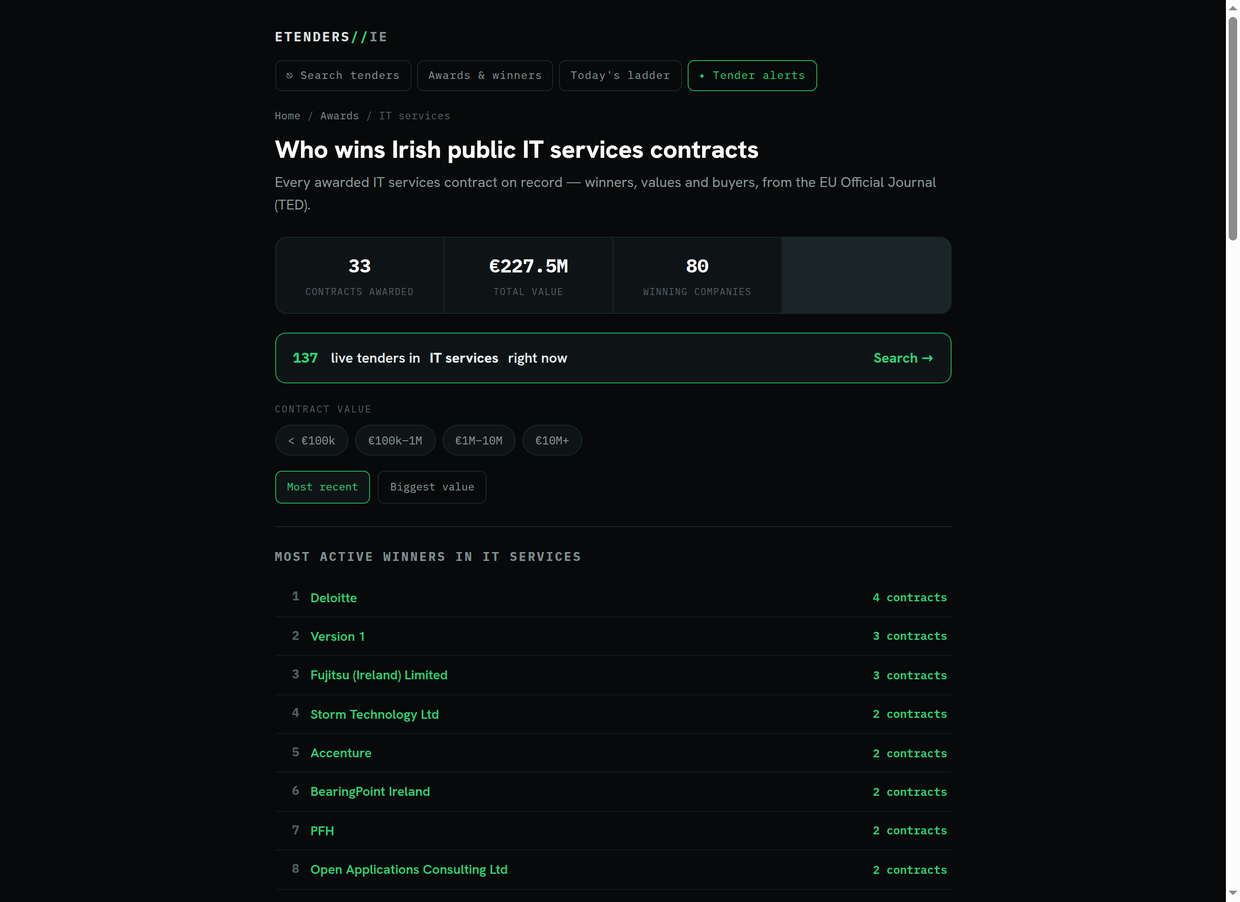
Every major sector has its own page: who wins Irish public <sector> contracts.
- See the leaderboard of firms that win that work, and the typical values.
- Follow the live tenders in this sector link to jump back to open opportunities.
- Open any winner to see their full record.
6
Research a company or a competitor
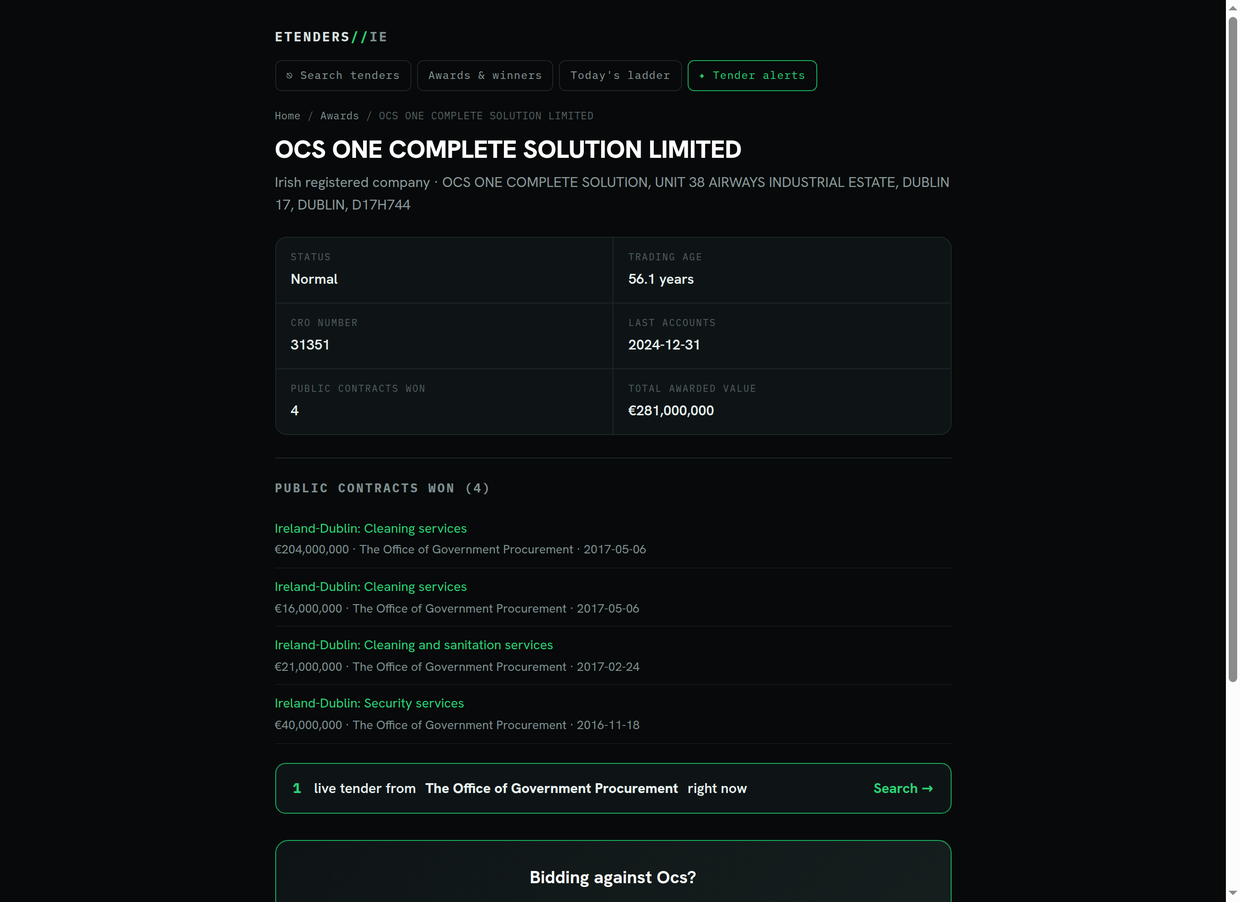
Every supplier we have a record for has a profile page.
- See their status, trading age and CRO number.
- See every public contract they have won, the values and the buyers.
- Useful for sizing up a competitor, or vetting a partner before you team up.
7
Never miss a relevant one
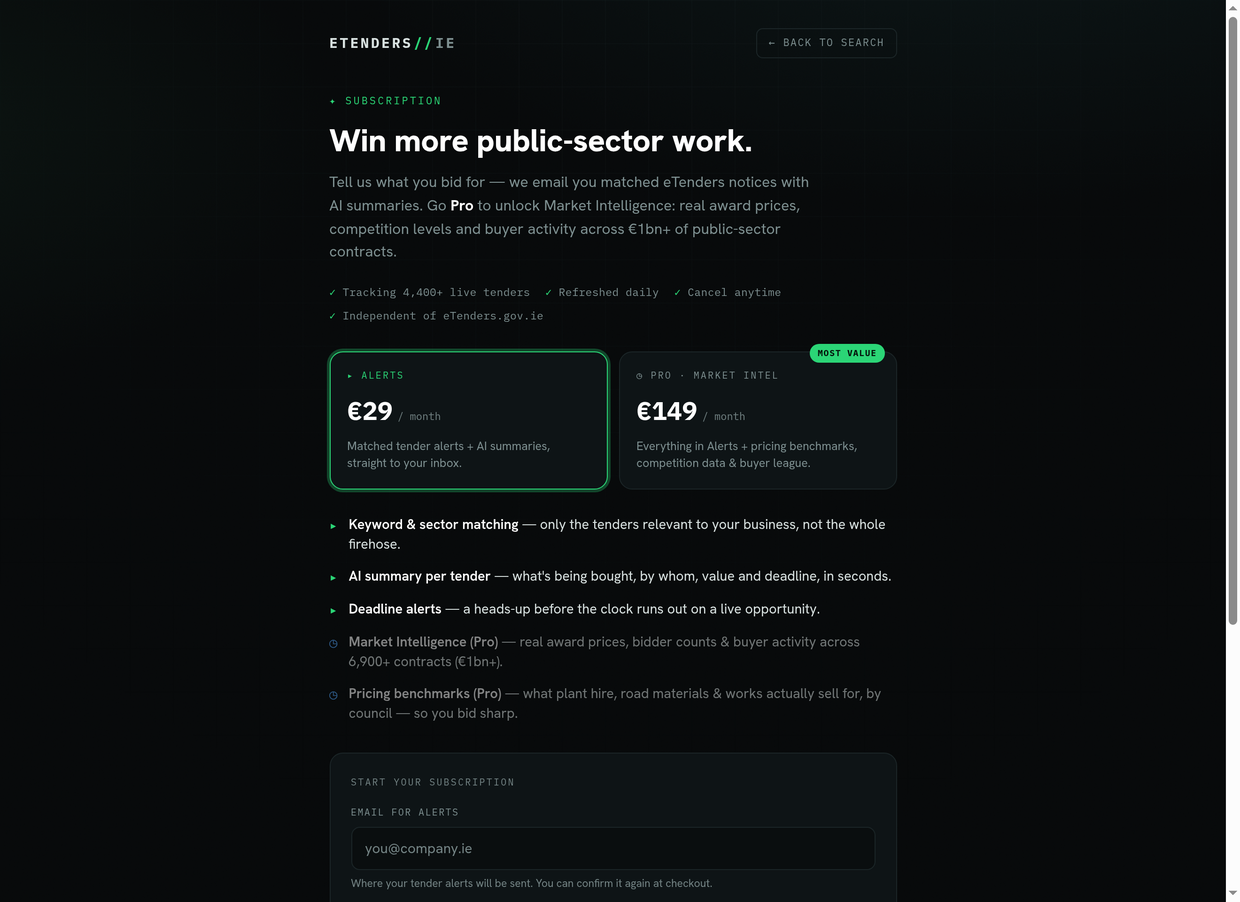
Searching is free. Tender Alerts does the watching for you.
- Tell us the keywords and sectors you bid for.
- Every morning we email you the new tenders that match, with their AI summaries.
- No more checking the site daily — the relevant ones come to you.
Good to know
- The green intro banner on the home page is a one-time welcome — click the ✕ to dismiss it and it will not return.
- On a desktop it is keyboard-driven: / to search, j/k to move through results, Enter to open, s to save, Esc to close.
- Saved tenders live in your browser. Save a few and we will offer to watch them for you.
- Everything links back to the official eTenders.gov.ie source — always submit there.
Ready to stop checking manually?
Get matched Irish public-sector tenders and AI summaries, emailed every morning.
✦ Get tender alertsFree weekly tender digest
Not ready to subscribe? Get a short round-up of fresh Irish public-sector tenders by email every week — free, no card.